
Tools
Sketch, Invision, Zeplin
Area
e-Service modernization, specifically the coverage pages, mobile, and some branded elements
Solution statement
Customers need clear, need-centered digital experience that makes insurance easier to understand, compare, and act on. The solution should simplify complex coverage information through intuitive content structures, plain-language explanations, guided decision-making, and consistent design patterns across products and journeys.
Discovery & Challenge
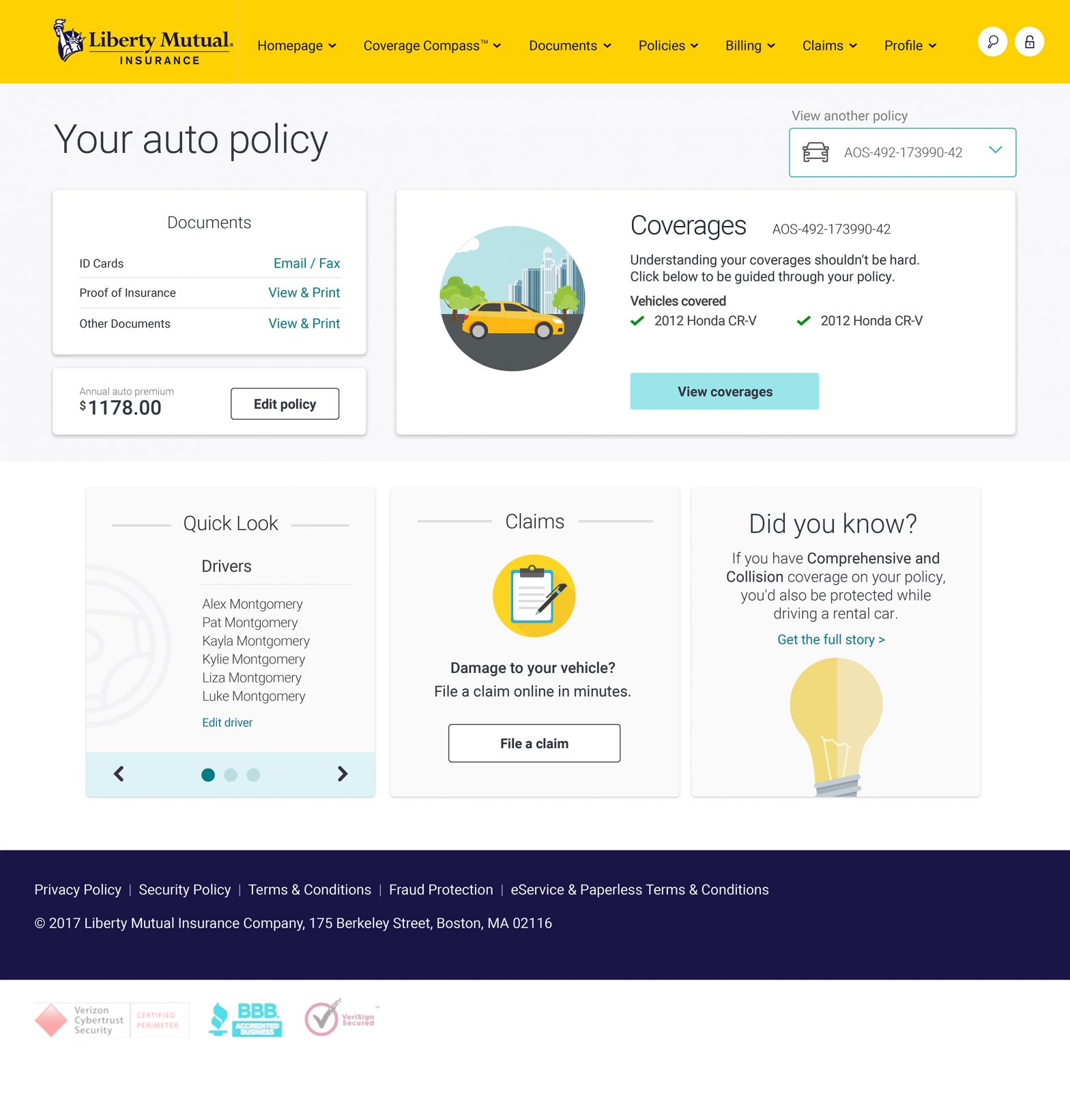
Faced with a high volume of customer calls for routine tasks—such as retrieving insurance ID cards—the goal was to empower users to self-serve through a redesigned Coverage section.
Pictured: old online portal for the coverage section.

Research & User Insights
Method 1: Interviewed Liberty Mutual customers and observed call center staff to identify recurring support pain points and unmet needs.
Method 2: Analyzed real-user screen recordings to pinpoint key behaviors, friction points, and moments of hesitation.
Uncovered that customers valued Liberty Mutual’s “white-glove” support and wanted greater reassurance when using digital tools.

Competitive Research and Developing a User Persona
Competitive research: Few insurers offered intuitive service portals—presenting an opportunity for differentiation.
Observation 1: Customers want to quickly understand what applies to them. They look for personalized, relevant coverage information rather than having to navigate dense, generic insurance content.
Observation 2: Documents, specifically ID cards, are the primary goal when using the online portal or mobile app.
Primary persona: users aged 50+, often hesitant about online interactions due to security or usability concerns.


Design Solution & Strategy
Introduced an “accordion-style” drawer module enabling users to browse coverage options intuitively.
Explored icon designs and modular layouts to streamline navigation and enhance clarity.
Positioned this redesign as a stepping stone toward deeper personalization tools (e.g., quoting and policy customization).


Forward-Looking Enhancements
Next-phase features planned to meet user needs:
- Quick-access dropdown menus for immediate coverage options
- Clear, user-friendly explanations of coverage types
- Ultra-simple view for users needing guided assistance—as well as customizable quoting tools.


A collection of sketches and notes